AddonHive - Order notifications

- Provider Apptiary s.r.o
- Phone +421 907 576 106
- Email info@apptiary.com
- Terms and conditions
- Price list
- New order messages in Slack, Microsoft Teams, Discord, Google Chat and Telegram
- Alerts for status changes, cancellations and unpaid orders
- Daily summary of order count and revenue at a time you choose
- Phone notifications through ntfy and e-mails through Brevo or Resend
- Order rows in Google Sheets and order data sent to your own webhook
- A separate event selection for each channel
What will the add-on bring you?
Order updates where your team works
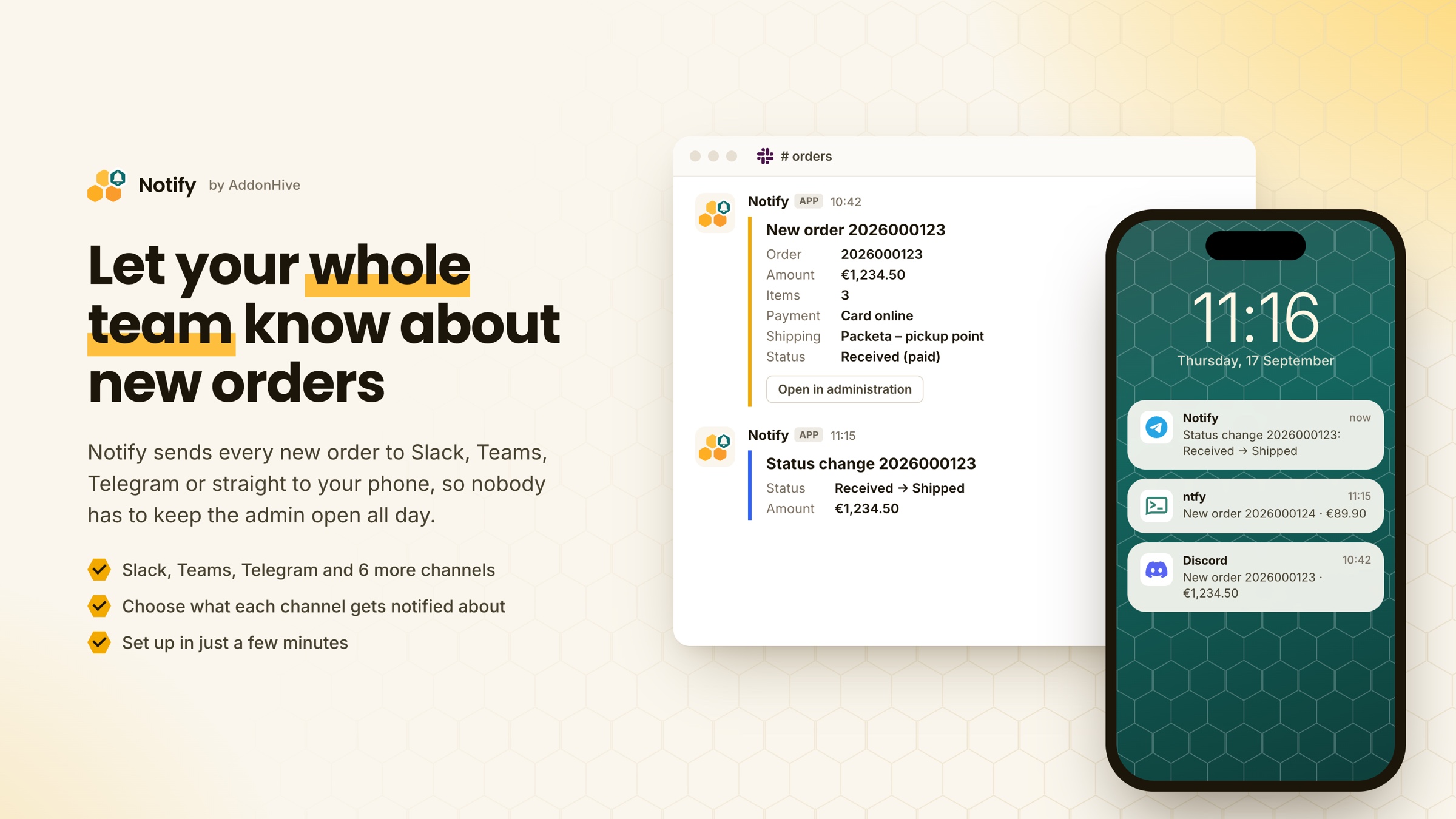
Notify sends order updates to the tools your team already uses, such as Slack, Teams or Telegram. Nobody has to sit in the administration and keep checking whether a new order has come in.
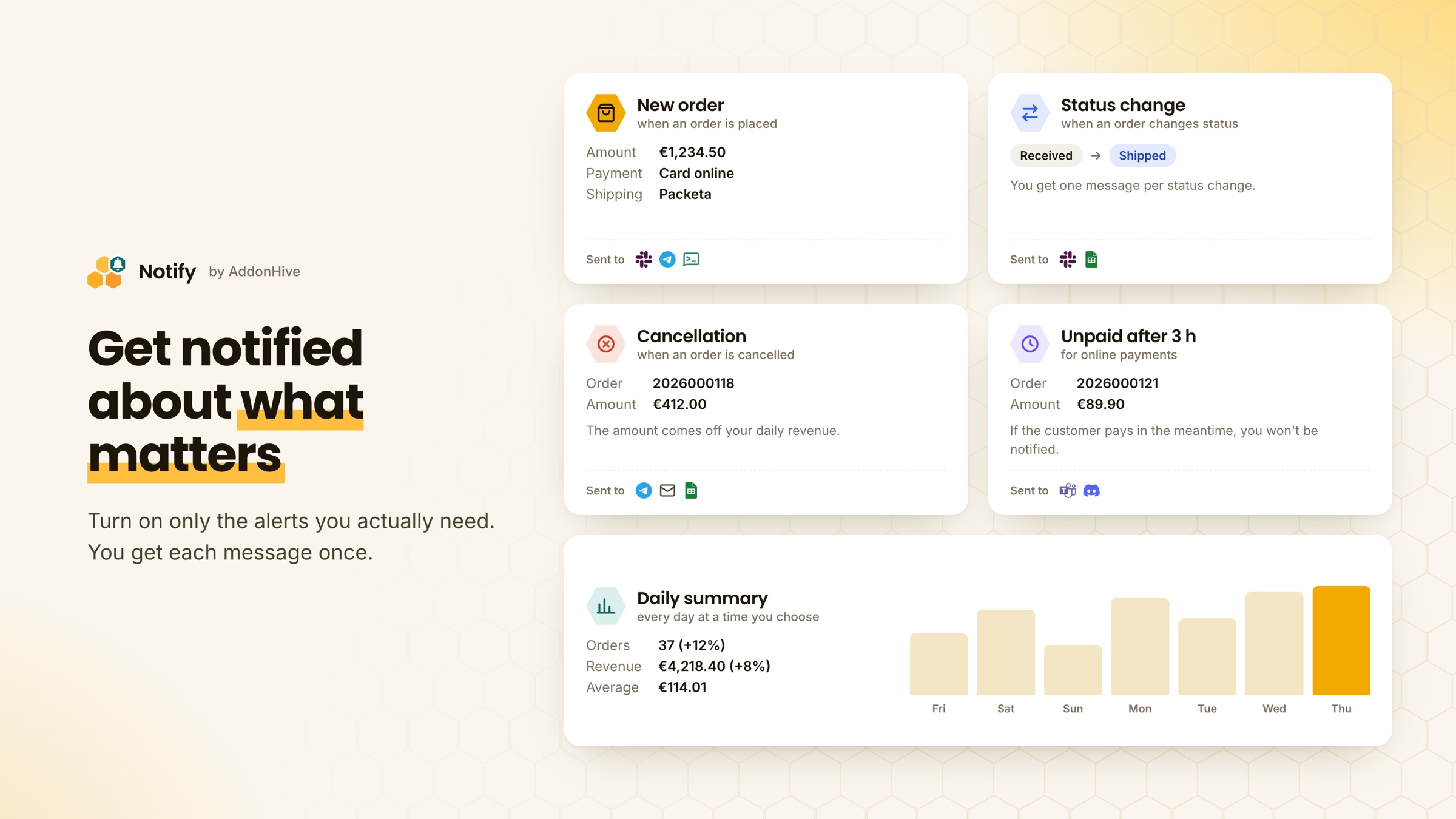
The addon notifies you about these events:
- New order. The message shows the order number, amount, number of items, payment and shipping method, status and a link to the administration.
- Status change. You can see which status the order moved from and to. You get one message per change, even if the platform sends the event more than once.
- Cancellation. You get a message when an order is cancelled, and its amount is taken off your daily revenue.
- Unpaid order. For online payments, we let you know if the customer hasn't paid within a set time. The default is 3 hours and you can change it. If the customer pays in the meantime, no message is sent.
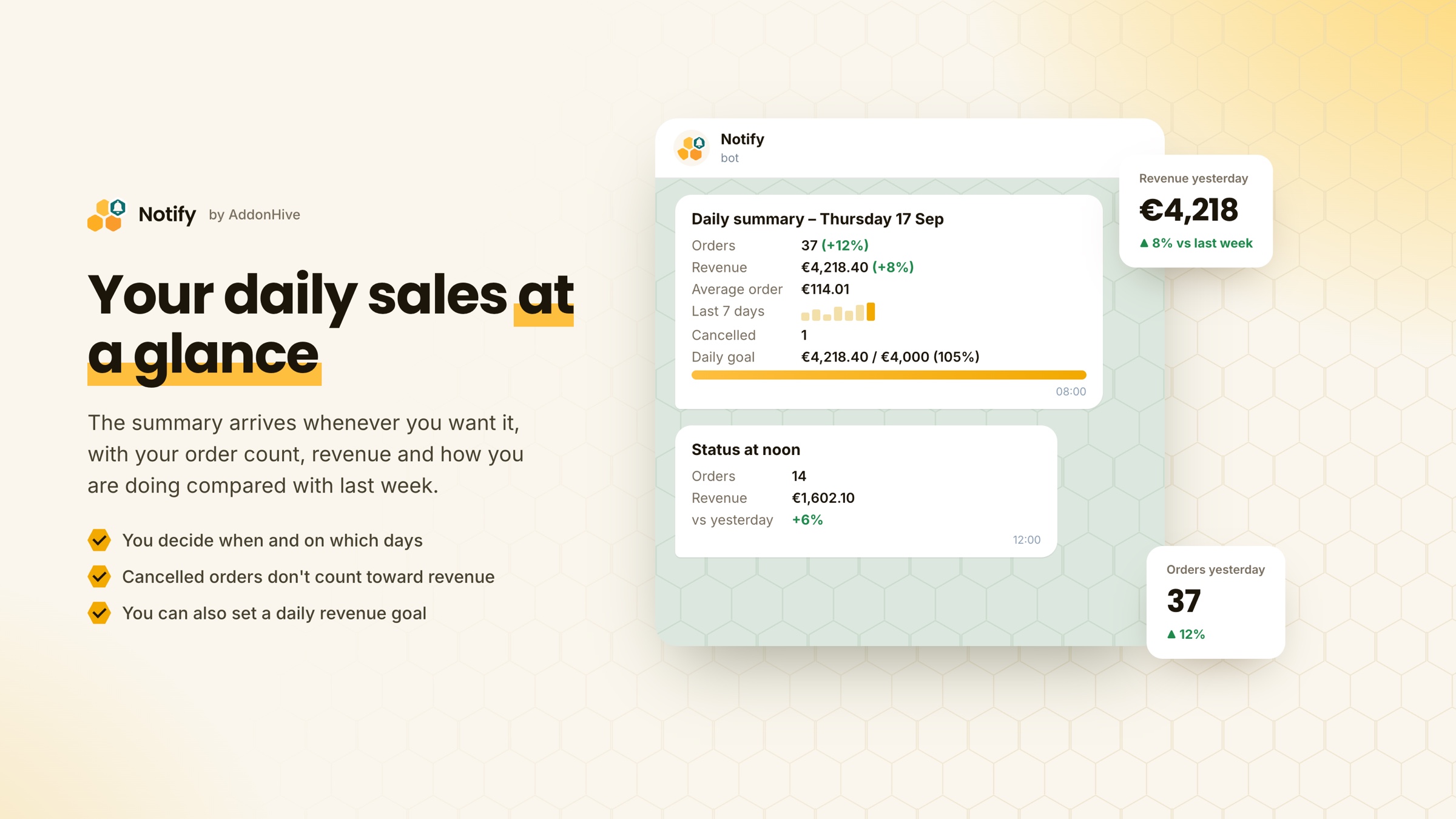
- Daily summary. At a time you choose, you get your order count, revenue and average order value, compared with the same day last week.
That way the whole team hears about a new order, not just whoever happens to have the administration or their inbox open.
Notify can send messages to nine different channels. Each channel is set up separately, so the warehouse can get orders in Slack while the owner gets the daily summary in Telegram.
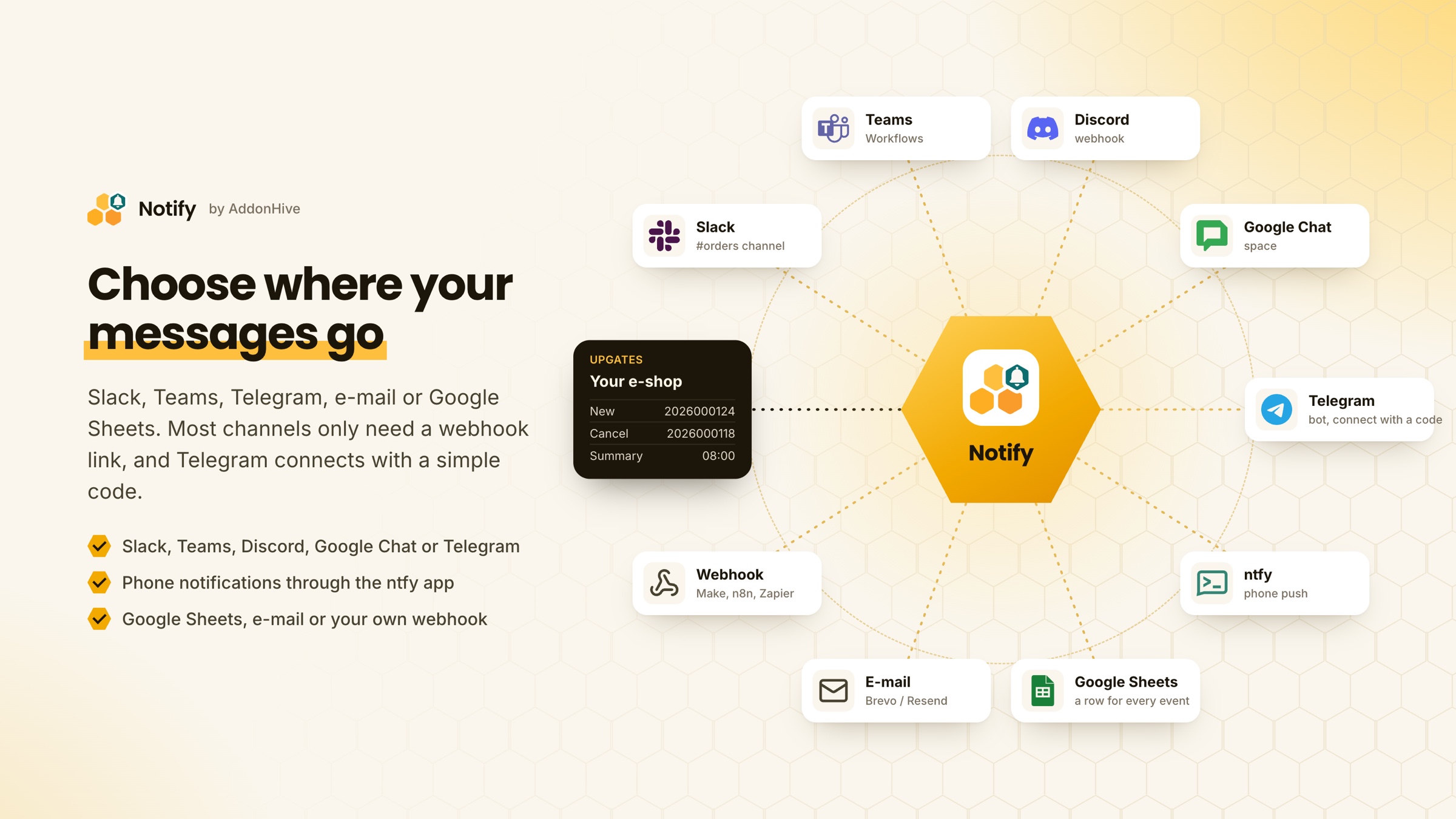
You can find the full list of supported services, with a setup guide for each, on the addon page.
 The chat you already use
Every message includes the order number, amount, payment and shipping method, and a link that takes you straight to the order in the administration. These chat tools are supported:
- Slack, connected through an incoming webhook,
- Microsoft Teams, connected through Workflows or an Incoming Webhook,
- Discord, which only needs a channel webhook,
- Google Chat, which only needs a space webhook,
- Telegram, where our bot sends the messages after you connect it with a one-time code.
 Notifications on your phone
If you want messages on your phone, use the free ntfy service. There is no sign-up: you pick a topic and subscribe to it in the ntfy app for Android, iOS or the web.
 Spreadsheet and e-mail
Google Sheets gets a new row for every event. You choose which columns to include, so your accountant can work with the sheet directly.
E-mails are sent through your own Brevo or Resend account, so they come from your own domain.
 Your own automations
If you use Make, n8n, Zapier or your own system, Notify can send order data there through a webhook. Every request is signed (HMAC), so you can check that it really came from us. You don't need to change anything in your e-shop.
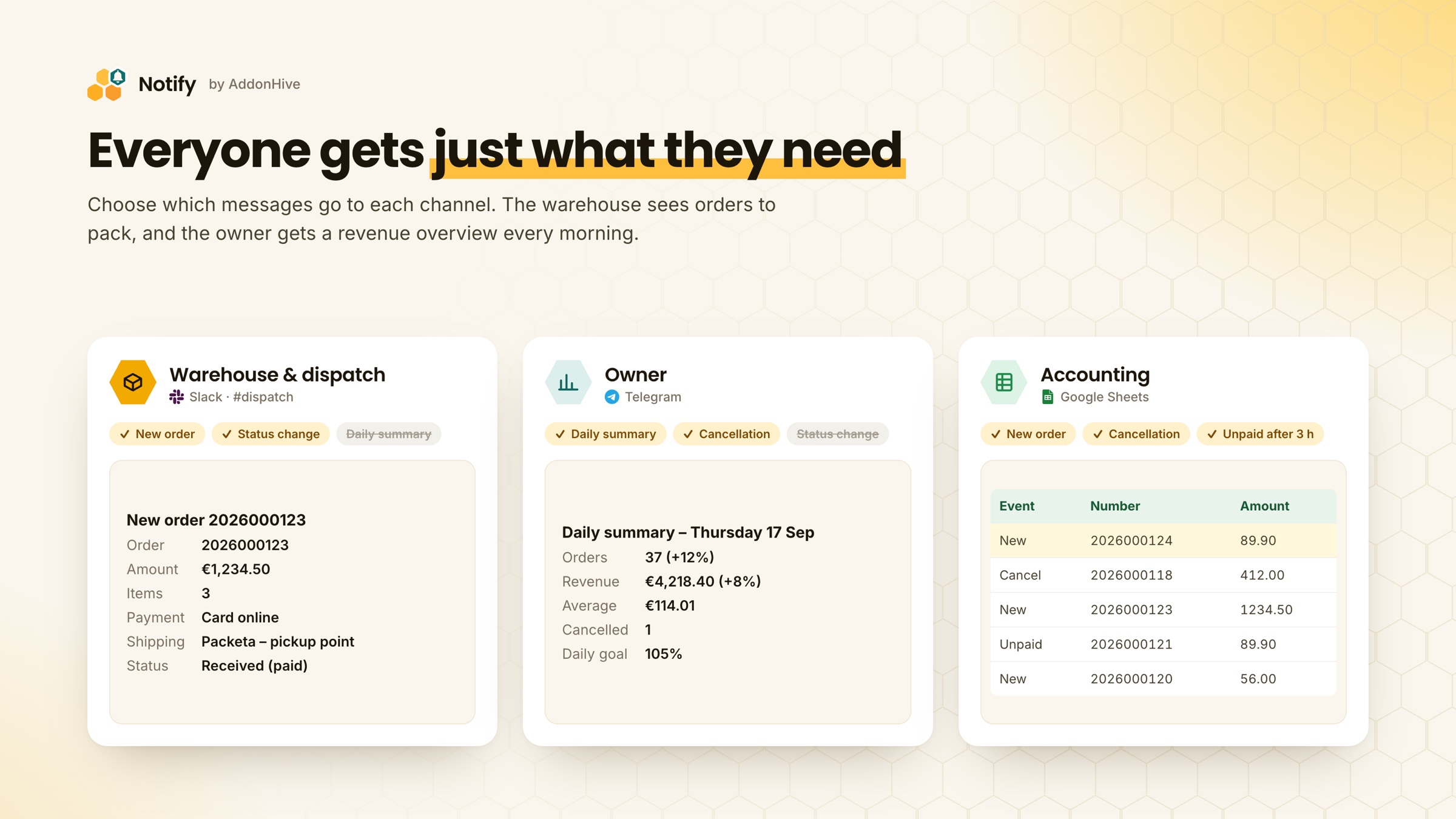
 Everyone gets just what they need
For each channel, you tick the events it should receive messages about. Dispatch doesn't have to get daily summaries, and the owner doesn't have to read every status change. How many channels can be active at a time depends on your plan.
 Daily revenue overview
The summary arrives at the time and on the days you choose. It includes:
- your order count and revenue compared with the same day last week,
- your average order value and how it developed over the last seven days,
- revenue with cancelled orders already taken out,
- if you set one, a daily revenue goal and a midday update.
How do I activate and operate the add-on?
Setup takes a few minutes. You don't need to write any code or change your e-shop template.
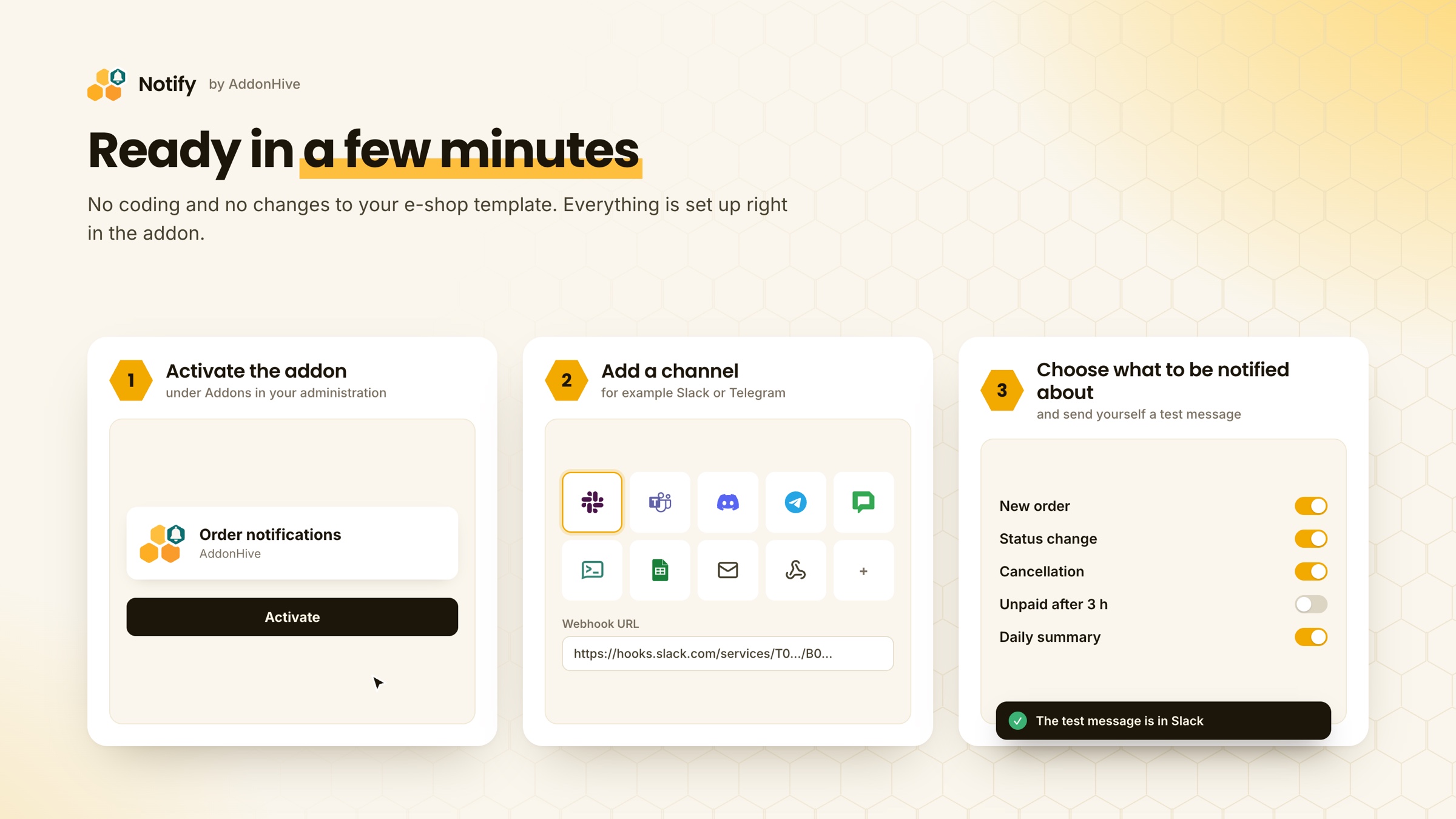
- Activate the addon in your e-shop administration.
- Add a channel. In the addon settings, choose where messages should go. Then paste the webhook address or connect Telegram with a code. The addon includes a short guide for each channel.
- Choose the events you want to hear about, send yourself a test message and save the settings.
If you run several e-shops on different domains from one administration, you can choose in the settings which of them the addon should cover. Messages from each e-shop can go to separate channels or be combined into one.
How the addon works after setup
- Messages are sent automatically, and you don't need to start anything.
- Upgates sends events to addons in batches, so a message usually arrives within a few minutes of the change in your e-shop.
- The addon overview shows how many messages were sent and whether any channel is reporting errors.
- You can pause a channel at any time or change which events it sends messages about.
- If a channel keeps rejecting messages, for example because someone deleted the webhook, we turn it off and send you an e-mail.
Why choose this particular add-on and what are its competitive advantages?
Who it is for: E-shops where several people take care of orders, for example dispatch, the owner and accounting, and where a slow reaction to an order costs money.
What makes it different:
- Besides e-mail, it can send messages to eight more channels, including Google Sheets and a custom webhook.
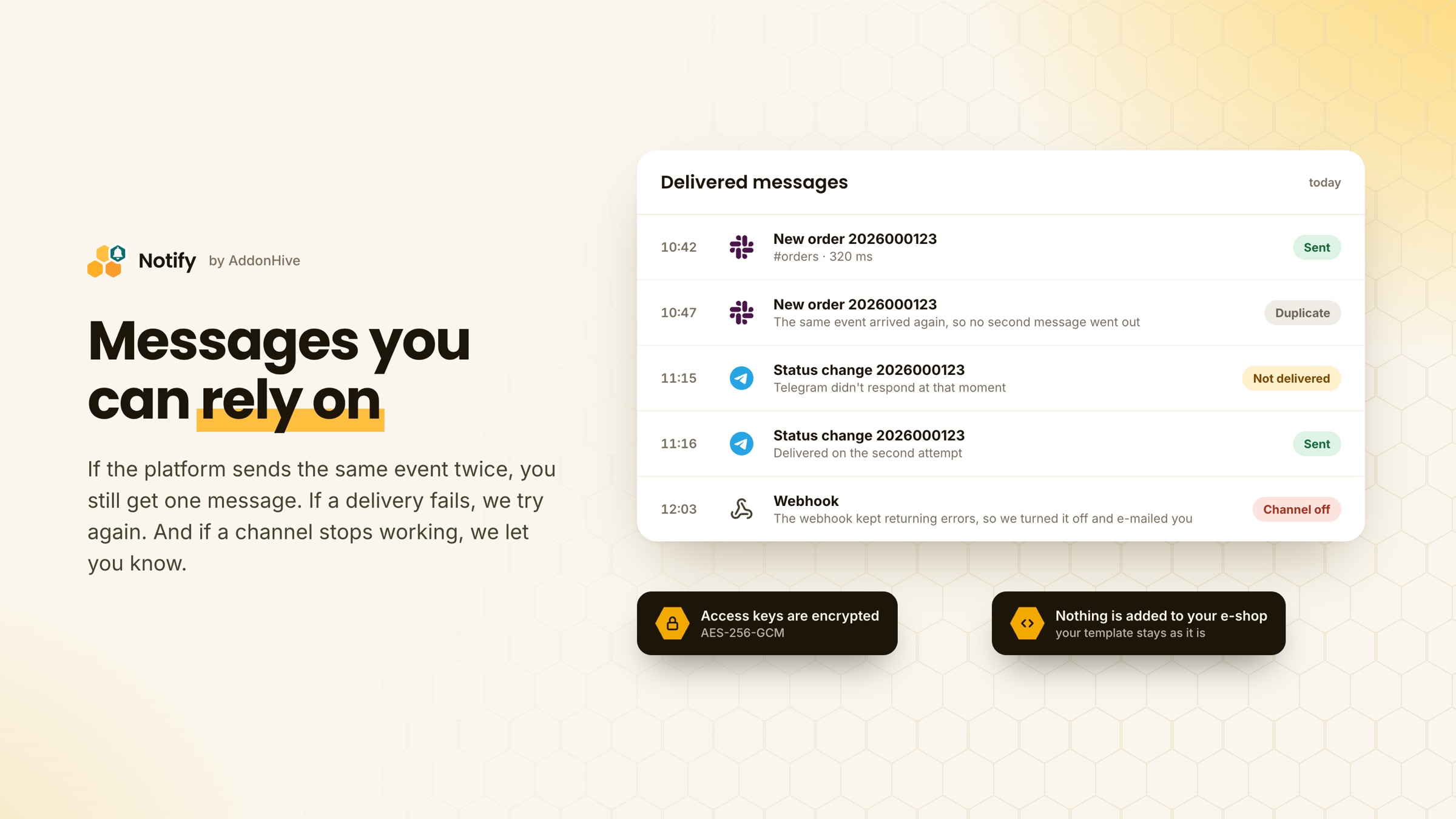
- We don't add anything to your e-shop template or put any script on your storefront.
- You get only one message per event, even if the platform sends it more than once.
- If a message can't be delivered, we try again a little later. If a channel keeps rejecting messages, we turn it off and let you know.
- Access keys to your channels are stored encrypted (AES-256-GCM). Once saved, they are never shown in the administration again.
Is this addon appropriate for you?
The addon is a good fit if:
- several people handle your orders and each of them needs to know about them without watching the administration,
- your team already uses Slack, Teams, Discord or Telegram,
- you want a daily revenue overview without opening the administration,
- you want to know about orders the customer hasn't paid.
If you need to hear about an order within seconds, keep in mind that Upgates sends events to addons in batches. A message usually arrives within a few minutes.
What else can you get?
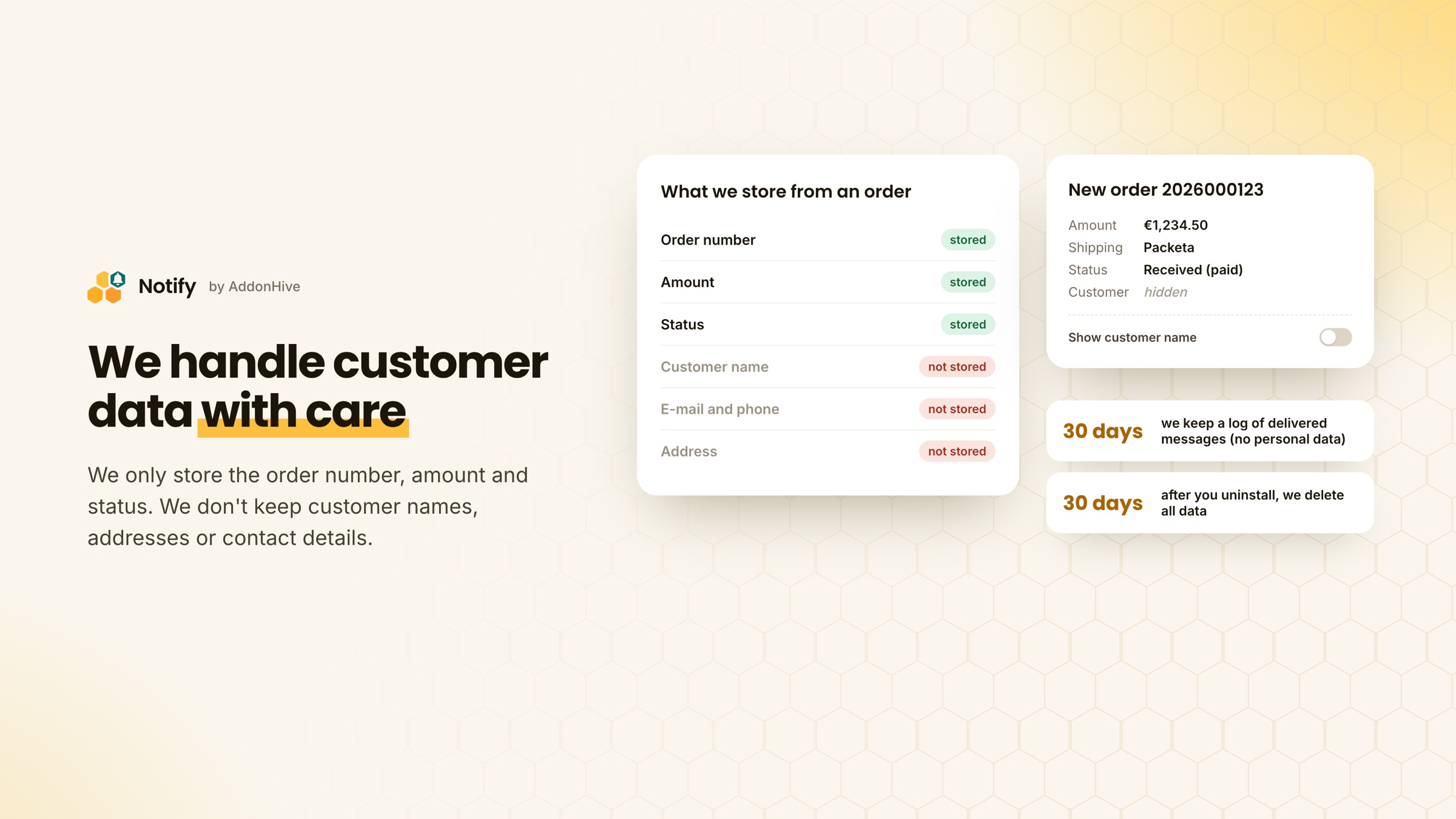
Data protection. The customer's name isn't shown in messages unless you turn it on for a specific channel. From each order we only store the number, amount and status, so we can tell what has changed. The full message content is deleted once it has been sent. We keep a log of delivered messages for 30 days, and it contains no personal data. When you uninstall the addon, we delete all data within 30 days.
Limits and reliability. The number of channels and the monthly notification limit depend on your plan. Each channel has its own selection of events. Upgates sends events to addons in batches, so a message usually arrives within a few minutes of the change in your e-shop.
Price. Activation is free and the free plan has no time limit. Some features are available only on the paid plans, billed as a monthly subscription. The addon is provided and billed by Apptiary s.r.o. Prices and terms are in the price list.
Support. You can get in touch with us, the addon's developers, directly. We reply within 24 hours on business days, and sooner during outages.
- Unpaid order reminder
- Statistics
- Reports
- Sales analysis
- Order analysis