PPL Smart To Box

- Creating a transport for PPL Smart To Box (Parcelbox only - without AlzaBoxes)
- Automatic activation of branches - carrier's distribution point network in the form of a widget
- Manual export of orders for label printing
What can the add-on do?
After pressing the "Add Add-on" button, the system in your e-shop will automatically create new Shipment named "PPL Smart To Box" (ParcelBox without AlzaBoxes). Then you adjust this new Shipment according to your needs and activate it.
The settings allow combining Parcelbox and Parcelshop Shipment, or having them separately.
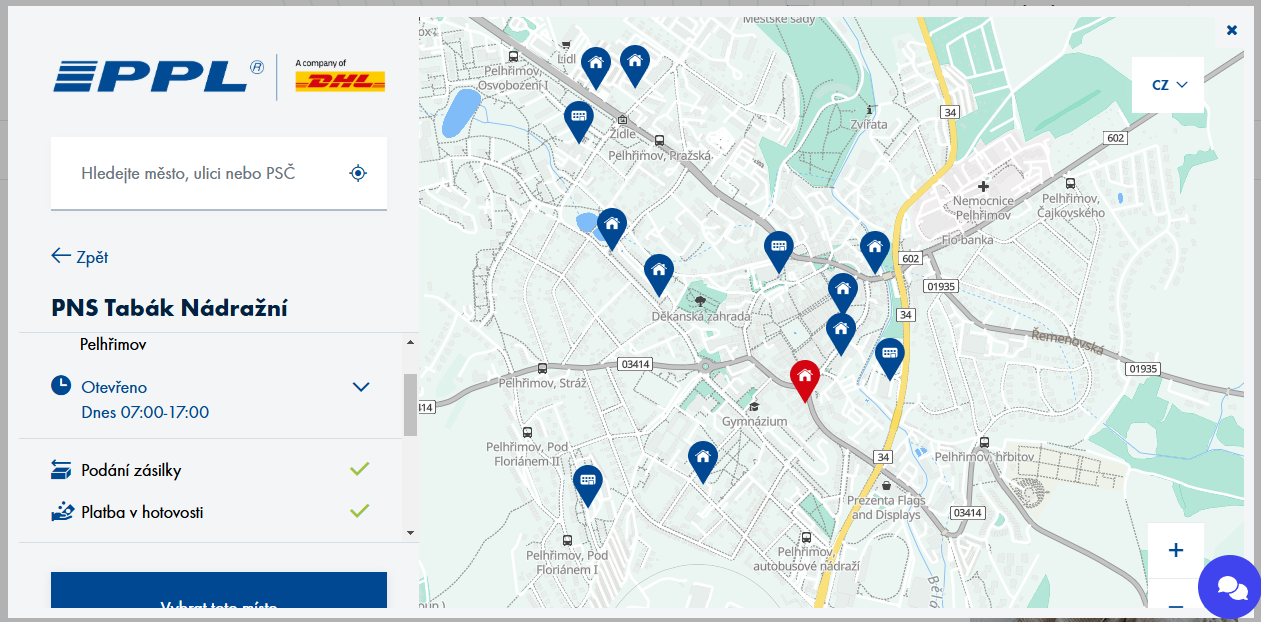
In the order process, when selecting PPL Smart To Box Shipment, customers will see the PPL widget with a map.
You can find the help guide for Shipment settings here.
You can create shipments of this carrier directly in the e-shop administration using Upgates Delivery (see help). The shipment data is read from the order and, after sending, is transferred to the carrier's system. Depending on the supported services, you can also print shipping labels, track the status of shipments, or order pickups.
Tracking URL PPL
https://www.ppl.cz/vyhledat-zasilku?shipmentId=
Export optimization for PPL
Optimization is done by adding predefined fields (more here).
- Note to export orders #1 (export_shipment_note): shipment type